Supporting humans
not replacing them

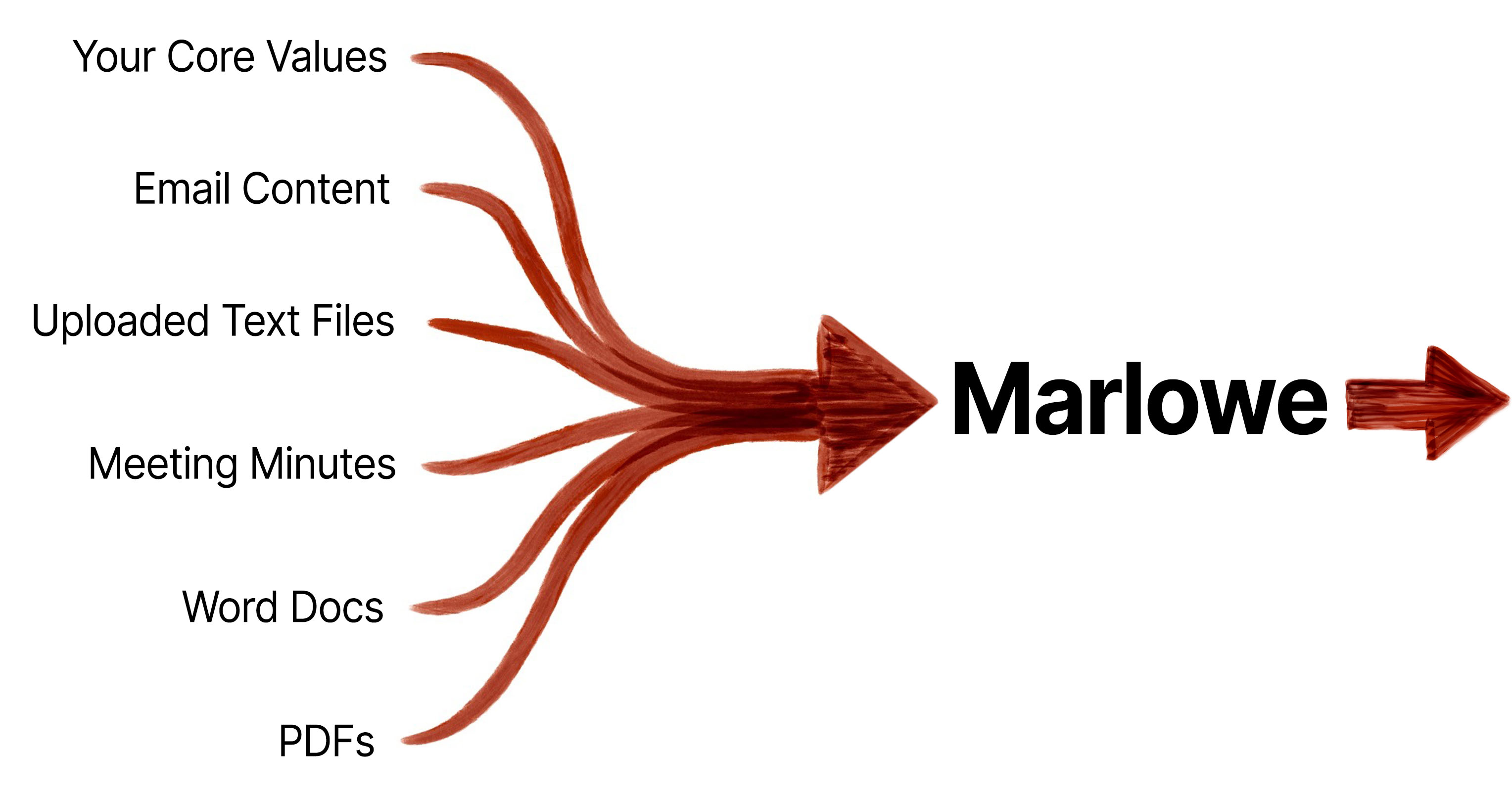
The modern workday is an overwhelming stream of emails, documents, contracts, and decisions. Marlowe distills it to what needs your attention today and builds a private knowledge base from everything you feed it, so you can ask questions and get answers only your assistant could give
Join the waitlist

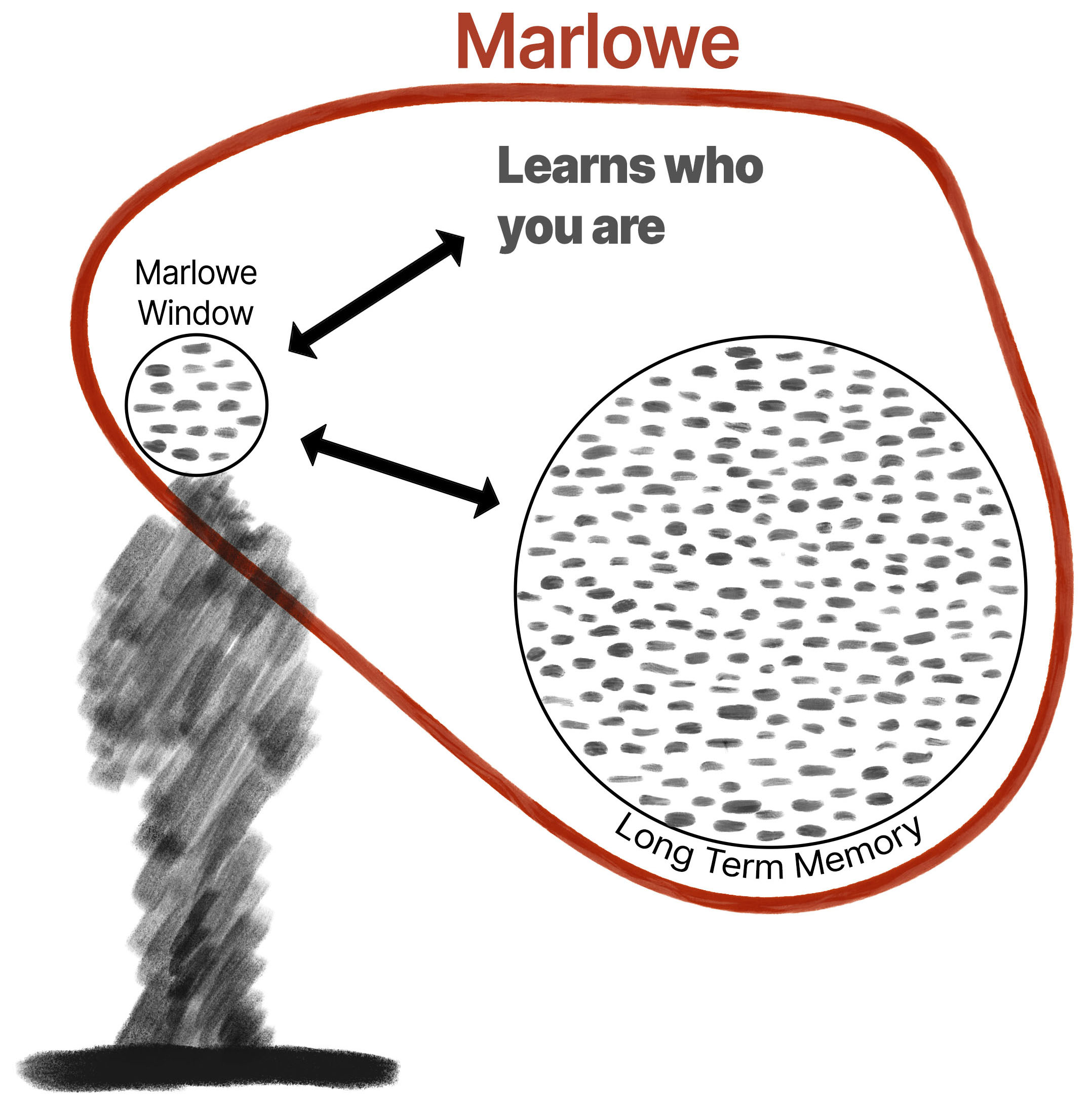
Memory is the key to how Marlowe learns about you over time. Marlowe remembers everything from what happened last week to what happened last year

Marlowe lives in a simple window on your computer, quietly organizing the information that would otherwise live in your head. As emails arrive, Marlowe reviews them and identifies tasks, commitments, and action items that may need your attention.

You can organize these thoughts with tabs and tags, highlight important items with the Priority button, and use the Today tab to focus on what matters right now. The result is a clear view of your responsibilities without having to constantly sort through your inbox.

Morning Briefing

Ask Marlowe a question and it answers with a voice. Set a reminder and Marlowe tells you when it's time. But the most ambitious thing Marlowe does is the Morning Briefing. Overnight, Marlowe looks across everything on your plate and surfaces the one thing most worth your attention, not something obvious at a glance, but a pattern or a gap you wouldn't have caught yourself.

Click below to hear a real Morning Briefing.

Water Cooler Gossip

As the founder of Marlowe, I have been working out of my home for 14 years running an award winning architecture firm.  The commute is great, but I miss the social aspect of an office with co-workers. People to tell me about that great new restaurant or a new art exhibit. Marlowe's Water Cooler Gossip feature allows you to input up to 3 topics of interest, and every night, Marlowe searches for informtion that you might otherwise miss. In the afternoon, when you might need a break from work, Marlowe give you insight into one of your topics. I for one use this feature to give me information on topics that are far from my architecture world, like theoretical physics.

Click below to hear some Gossip

Your Privacy

Marlowe Server Data

  1. The information that is stored on the server is basic profile information and your current items in the Marlowe window. This is stored on the server for future mobile application integration.  This information is viewable on your computer in the Marlowe support folder in the file called "tasks.json" and you can manually delete the server data by going to the Marlowe menu "Manage Data".

  1. When you finish a trial period with Marlowe, your data on the server is automatically deleted 30 days after the end of the trial

  1. When you cancel a subscription with Marlowe, your server data is automatically deleted 30 days after you cancel the subscription

Email

  1. Marlowe does not get full access to your email. Marlowe reviews incoming email to surface action items or other important context and then deletes the email.  Marlowe does not store your complete email and can not go back and search through your emails.

  1. Completed Google verification review including Tier 2 CASA security testing with TAC Security

  1. Completed verification process for Microsoft mail integration

Private Database

  1. Marlowe has a long term database that remembers what you said yesterday and last year. This is a vector database stored locally on your computer. You can delete this at any time.  The file is located in the Application Support folder and is called marlowe.vec.db

Founder's Statement

I am very proud of what I have built with Marlowe, but I also what to be clear about what Marlowe is not going to do. Marlowe will never write an email for you or create a presentation. To me, a world where one AI reads an email then writes a response, so another AI can read that email and write a response, is a bleak future. Marlowe is meant to support humans in doing what they do best, being thoughtful, creative, and unique.

Marlowe Origin Plan

$28 per month

  1. Mac OS 11+ or later with a requirement that the computer be using Apple Silicon Chips, or M-chips
  2. Connect up to 2 email accounts. Max 120 processed emails a day
  3. 400 document uploads a month
  4. Unlimited text uploads to Private Database
  5. Unlimited meeting minute uploads
  6. You can have Marlowe "see" your screen and remember or comment 10 times a day
Marlowe App LLC - 2026
All Rights Reserved